Buy $CLASH on Coinbase (Easiest for Beginners)
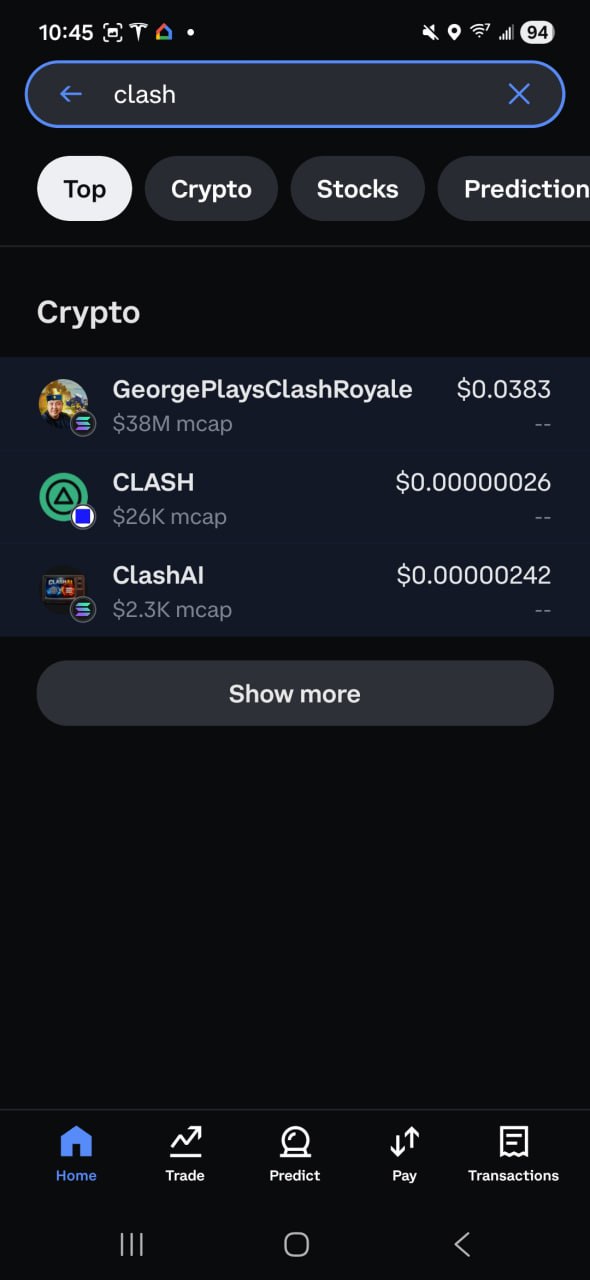
Coinbase now supports DEX tokens directly in their app. If you already have Coinbase, you can find and buy $CLASH without leaving the platform.
Open your Coinbase app
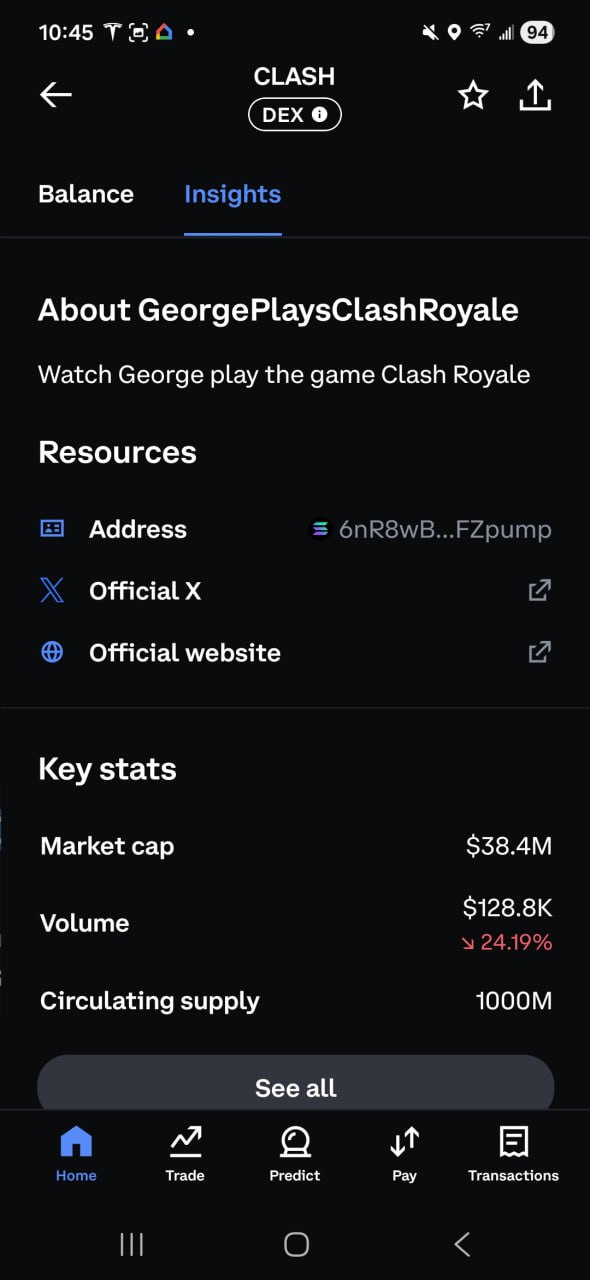
Search for CLASH (Solana network) and verify the contract address:
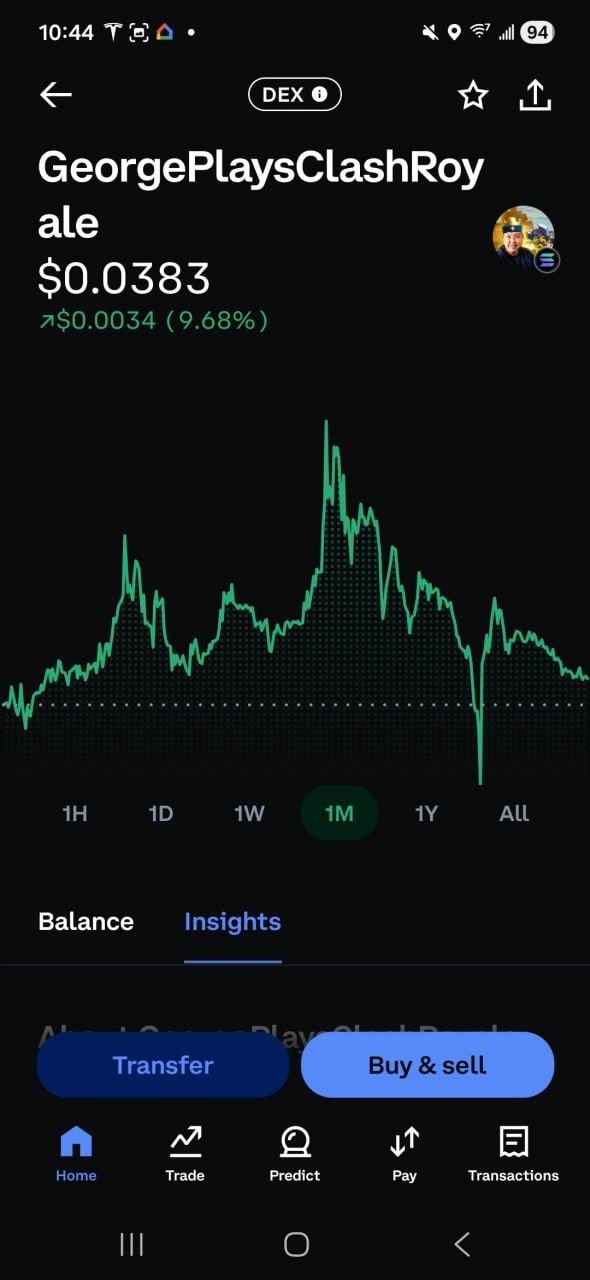
6nR8wBnfsmXfcdDr1hovJKjvFQxNSidN6XFyfAFZpumpClick the Buy & Sell button and Select Buy.
Buy $CLASH on ClashSwap (Fastest for Players)
Already on ClashPicks? Buy directly on our platform:
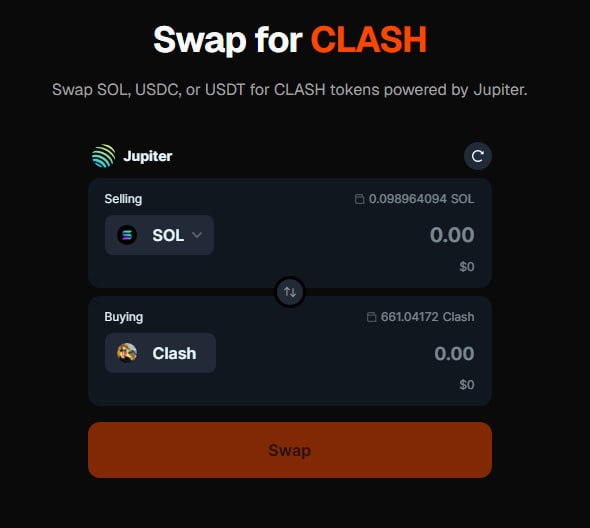
Go to clashpicks.com/swap
Connect your Phantom, Solflare, or other Solana wallet
Swap SOL, USDC, or USDT → CLASH instantly
Start predicting immediately—no need to send funds anywhere
Buy $CLASH with Phantom (Best for DeFi Users)
1. Install Phantom Wallet (Available on iOS, Android, and Chrome)
2. Create Your Wallet
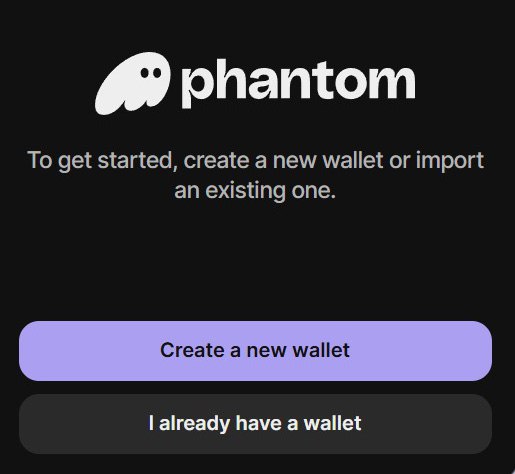
You have two ways to create a Phantom wallet. The simplest method is using your email (Google or Apple). With this option, you'll set a 4-digit PIN and a password, and you can easily sign in on any device. However, if you ever need to restore the wallet, you will still need your recovery phrase, which can be found in the settings.
The second and recommended method is to create your wallet directly with a recovery phrase and a password, without using an email login. This approach ensures you learn one of the core principles of crypto — self-custody — and encourages you to write down and secure your recovery phrase from the start.
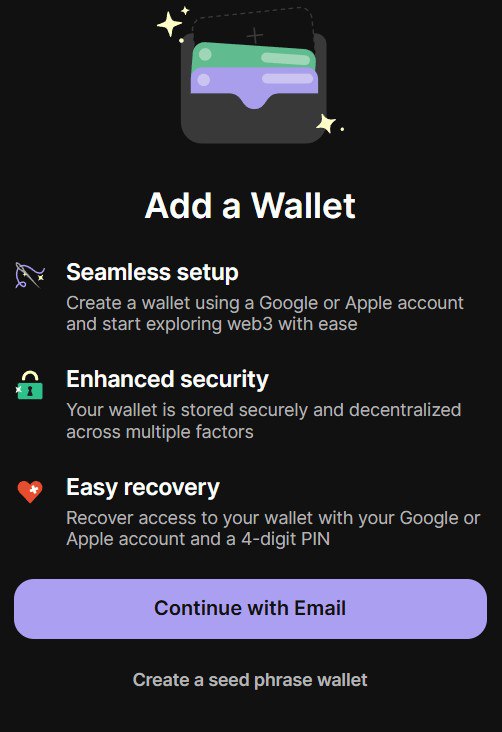
Phantom will display a 12–24 word recovery phrase — this is the master key to your wallet. There will be many situations where you need to restore your wallet. If you lose this phrase, you will not be able to recover your wallet if you change devices or accidentally remove or delete it. Your crypto can also be stolen if anyone gains access to your recovery phrase, so handle it with extreme care.
Store it safely:
Write it on paper and/or save it in a document on a USB drive that never connects to the internet.
Keep copies in two secure physical locations if possible.
3. Fund Your Wallet With SOL
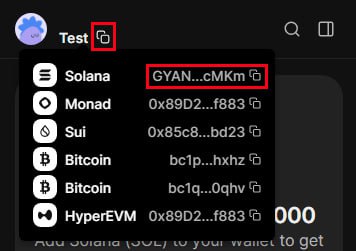
Buy SOL inside Phantom or
Buy SOL on a Crypto exchange (Coinbase, Robinhood, Binance, etc.) and send it to your Phantom wallet’s Solana address (Screenshot above shows how you get access to your wallet address).
4. Swap SOL → $CLASH
In the “You Pay” section, select SOL.
In the “You Receive” section, you want to select CLASH.
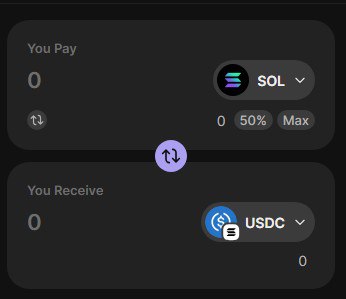
If this is your first time, you will not see CLASH right away in the drop-down. You will need to paste the official contract address (listed at the top of this page) to find CLASH.
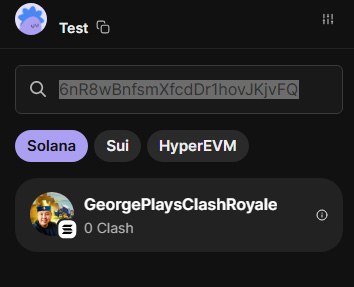
Review and click Swap Now.
🎥 30-second demo:
https://x.com/GeorgePlayClash/status/1971670677028851827
Buy $CLASH on Global Exchanges
If you prefer exchanges or DEXs:
✅ BTCC Exchange → https://bit.ly/4kk20Qa
✅ Phemex Exchange → https://bit.ly/3L2qGQK
✅ MEXC Exchange → https://bit.ly/42wnMIb
✅ Moonshot App → https://bit.ly/3Wbjun
✅ Jupiter DEX → http://bit.ly/471J57D
You can buy from any of these and send your $CLASH to your Phantom wallet.
✅ Quick Tips (Read This)
Always paste the contract address — never trust search results.
If a swap fails, try a small test swap first.
Keep a little extra SOL for fees.
Beware of fake support or impostor tokens - No team member will DM you or ask you to send funds.
❓Troubleshooting
Can’t find $CLASH in Phantom, Solflare, or any other Solana-based wallet?
→ Tap Manage Tokens and paste the contract address.
Price impact too high?
→ Reduce swap size or try Jupiter/Moonshot.
Deposit from CEX is pending?
→ Wait for Solana confirmations, then retry your swap. Deposit pending from CEX? Wait for Solana confirmations—then retry the swap.